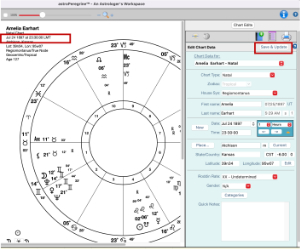
Despite our thorough research and ongoing updates, our Atlas sometimes displays the wrong time zone, particularly for charts using Local Mean Time (LMT).
In version astroPeregrine 1.07, we’ve added the option to override the time zone and calculate accurately. Please send us the information to update the Atlas for a future update.
Here are the steps:
Make sure you are running 1.07 – Go to the top menu and click on the “About astroPeregrine” to ensure you are running the most recent release.
- Open the right-side panel and click on the Edit button.
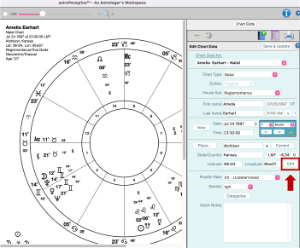
2. A new “Advance Edits” window will open. Click on “Time Zones.”

3. Scroll down to find the correct time zone, select it, click “Accept,” and click “Update.” This closes the “Edit” window.
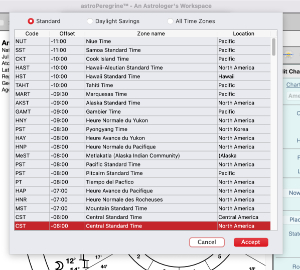
4. Finally, click the “Save and Update” button, and the chart will redraw correctly.